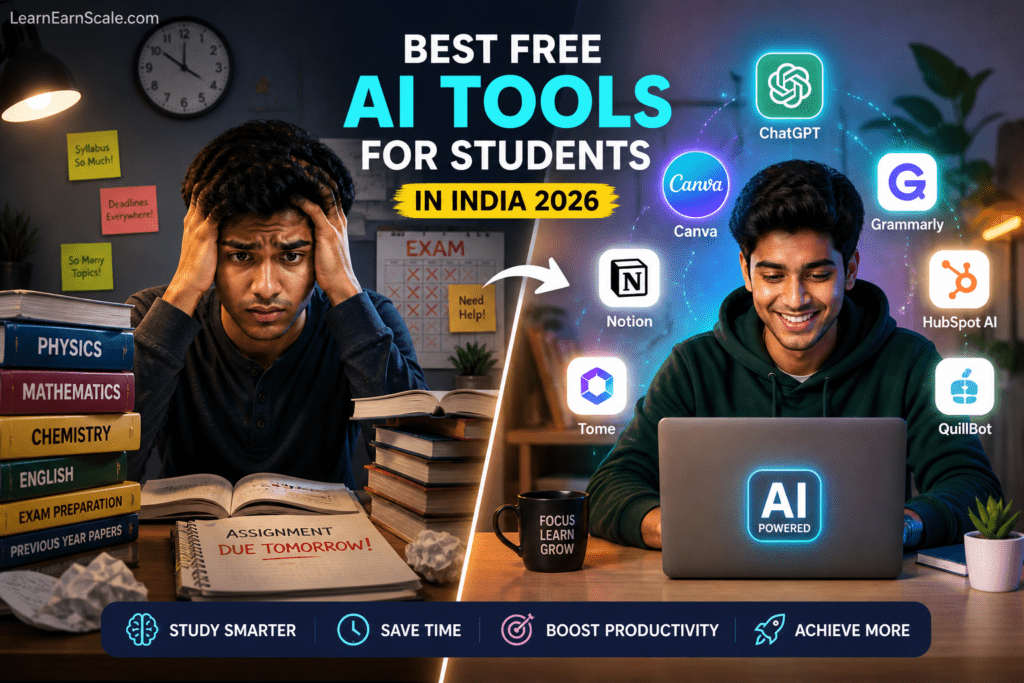
Best Free AI Tools for Students in India 2026
Introduction
Let’s be honest — being a student in India in 2026 is more competitive than ever.
Quick Answer
Best Free AI Tools for Students in India 2026 is worth focusing on when it solves a clear study, career, or income problem instead of adding another distraction. For Indian students and early professionals, the best approach is to start with one practical use case, test it for a week, and measure whether it saves time, improves output quality, or creates a realistic earning opportunity.
For a stronger next step, explore AI Tools, Resources, PDF Tools, CGPA Calculator, Typing Test and connect this advice with tools you can actually use on LearnEarnScale.
You’re juggling assignments, internship applications, skill-building, and somehow trying to build a future — all at the same time. Meanwhile, students in top colleges abroad are using AI tools to do in 30 minutes what used to take 5 hours.
Here’s the truth: the gap between an average student and a high-performing one is no longer talent — it’s the tools they use.
The good news? You don’t need to spend a single rupee to access the same AI tools that professionals at top companies use every day. Most of them have genuinely powerful free tiers that are more than enough for students.
In this guide, I’ve tested and handpicked the best free AI tools for students in India in 2026 — covering everything from writing and research to productivity, design, coding, and even earning money.
By the end of this post, you’ll know exactly which tools to use, what each one does best, and how to get started today.
Let’s dive in.
What Makes an AI Tool “Student-Friendly”?
Before we get into the list, here’s the criteria I used to select these tools:
- Free tier is genuinely useful — not just a 3-day trial
- Works on a basic laptop or smartphone — no high-end hardware needed
- Accessible in India — no VPN required, supports INR or free globally
- Saves real time — not just a gimmick
- Beginner-friendly — no technical knowledge required
Every tool on this list meets all five criteria. Let’s go.
1. ChatGPT — Your 24/7 AI Study Partner
Best for: Writing, research, doubt-solving, exam prep Free tier: Yes (GPT-4o mini on free plan) Available in India: Yes
If there’s one AI tool every student needs right now, it’s ChatGPT. Think of it as the most knowledgeable tutor you’ve ever had — available 24 hours a day, never impatient, and capable of explaining anything from quantum physics to marketing strategy.
What Students Use It For:
Assignment help: Ask ChatGPT to explain a concept, give you an outline, or help you structure your argument. It won’t write your assignment for you — but it will help you write a better one, faster.
Exam preparation: Paste your syllabus and ask ChatGPT to generate practice questions, explain difficult topics in simple language, or create a revision summary.
Research acceleration: Instead of spending 2 hours reading 10 articles, ask ChatGPT to summarize a topic and give you the key points. Then verify with original sources.
Language improvement: If English isn’t your first language, ChatGPT can fix grammar, improve sentence structure, and make your writing sound more professional.
Power Prompt to Try Right Now:
“I’m a second-year engineering student studying [subject]. Explain [topic] to me like I’m a beginner, then give me 5 practice questions with answers.”
Free Plan Limits:
The free plan gives you access to GPT-4o mini with a daily usage limit. For most students, this is more than enough. If you hit the limit, just come back the next day or use Claude (see below).
2. Claude by Anthropic — Better for Long-Form Writing
Best for: Essays, reports, summarizing long documents, nuanced writing Free tier: Yes (generous daily limit) Available in India: Yes
Claude is ChatGPT’s quieter, more thoughtful cousin — and for many writing tasks, it actually produces better results. Where ChatGPT can sometimes sound robotic, Claude writes in a more natural, human tone.
Why Students Love Claude:
Long documents: Claude can read and summarize a 50-page PDF, a research paper, or an entire chapter of a textbook — and give you a clean, organized summary.
Better writing quality: For essays, reports, and application letters, Claude’s output tends to be more polished and less “AI-sounding” than other tools.
No hallucinations on careful prompts: Claude is generally more cautious about making things up, which matters when accuracy is important for academic work.
Best Use Case for Indian Students:
Use Claude to write the first draft of any long-form content — college essays, internship cover letters, LinkedIn summaries, or blog posts (yes, this blog uses Claude as part of its writing process).
Pro Tip: Use both ChatGPT and Claude. Use ChatGPT for research and brainstorming, then Claude for writing and editing.
3. Google Gemini — Best AI Tool for Research
Best for: Real-time research, Google integration, factual queries Free tier: Yes Available in India: Yes (works on any Gmail account)
Google Gemini is Google’s answer to ChatGPT — and its biggest advantage is that it’s connected to the internet in real time. This means it can give you current, up-to-date information that ChatGPT’s free tier can’t always provide.
Why It’s a Must-Have for Students:
Real-time information: Ask about recent government schemes, current job market trends, latest tech news, or this year’s exam patterns — Gemini can find it.
Google Workspace integration: If you use Google Docs, Sheets, or Gmail (which almost every Indian student does), Gemini integrates directly. You can ask it to summarize your emails, improve a document, or analyze a spreadsheet.
Multimodal capabilities: Upload an image of a diagram, a handwritten note, or a question from your textbook — Gemini can read and answer it.
How to Access:
Go to gemini.google.com and sign in with your Gmail account. That’s it — no setup needed.
4. Canva AI — Professional Designs in Minutes
Best for: Presentations, posters, resumes, social media graphics Free tier: Yes (extremely generous) Available in India: Yes
Every student needs to make presentations. Most students make ugly presentations. Canva AI solves this permanently.
Canva has always been great for design, but its AI features in 2026 take it to a completely different level.
Key AI Features on the Free Plan:
Magic Design: Describe what you want — “a professional presentation on climate change with a blue theme” — and Canva AI generates a complete, multi-slide design instantly.
Magic Write: AI text generator built into Canva. Write presentation content, poster copy, or social media captions without leaving the design tool.
Background Remover: Remove backgrounds from photos in one click — incredibly useful for project presentations and resumes.
Text to Image: Generate custom illustrations for your projects without needing stock photos or paying for images.
For Indian Students Specifically:
Canva has templates specifically for Indian college festivals, cultural events, internship posters, and even CA exam prep notes. The free tier includes thousands of templates — more than enough.
Career tip: Learning Canva is a marketable skill. Many small businesses in India pay ₹5,000–₹15,000/month for social media designers who use Canva. This is a realistic side income for students.
5. Grammarly — Make Your English Error-Free
Best for: Grammar correction, writing improvement, tone checking Free tier: Yes Available in India: Yes
Whether you’re writing emails to professors, preparing internship applications, or submitting assignments — your writing quality matters enormously. Grammarly makes sure you never submit embarrassing errors again.
What the Free Version Does:
- Fixes grammar and spelling errors in real time
- Suggests clearer sentence structures
- Checks punctuation and consistency
- Works in Gmail, Google Docs, Word, and LinkedIn directly
Why It Matters More Than You Think:
In a survey of Indian hiring managers, poor written communication was cited as one of the top reasons for rejecting otherwise qualified candidates. A tool that takes 2 minutes to install can directly affect your placement chances.
How to use it: Install the Chrome extension (free) and it automatically checks everything you type online — emails, assignments, LinkedIn messages, application forms.
6. Notion AI — The Smartest Student Planner
Best for: Notes, study schedules, project management, to-do lists Free tier: Yes (Notion base is free; AI features have limited free uses) Available in India: Yes
Notion is where the most organized, productive students keep their entire academic life. Notes, deadlines, project trackers, reading lists, internship applications — all in one place.
The AI features in Notion can:
- Summarize your class notes automatically
- Generate study schedules based on your exam dates
- Create action plans for projects
- Answer questions based on your own notes
How to Set Up Your Student Dashboard in Notion:
- Sign up free at notion.so
- Search “student dashboard” in Templates
- Import a template with: Semester schedule, Assignment tracker, Exam countdown, Reading list
- Start adding your subjects and deadlines
Even without the AI features, Notion’s free plan is one of the most powerful productivity tools available. The AI features are a bonus.
7. Perplexity AI — Google Search, But Smarter
Best for: Research, fact-checking, academic queries with sources Free tier: Yes Available in India: Yes
Perplexity AI is what Google Search should be. Instead of showing you a list of links and making you read 10 articles, Perplexity gives you a direct, sourced answer with citations.
Why Students Love It:
Academic research: Ask any research question and get a structured answer with links to academic papers, news articles, and credible sources — all cited inline.
No hallucinations: Unlike ChatGPT, Perplexity always cites its sources. You can click each citation to verify the information, which is crucial for academic work.
Faster than traditional research: What used to take 45 minutes of googling now takes 3 minutes on Perplexity.
Power Use Case:
“What are the latest government schemes for student entrepreneurs in India in 2026? Provide sources.”
Perplexity will give you an organized, cited answer in seconds — perfect for case studies, group projects, and competitive exam preparation.
8. Otter.ai — Never Miss a Word in Lectures Again
Best for: Lecture transcription, meeting notes, interview summaries Free tier: Yes (600 minutes/month) Available in India: Yes
Otter.ai records and transcribes audio in real time. You can record your lectures, tutorials, or group project discussions — and Otter automatically converts them into searchable, shareable text notes.
Why This Is a Game-Changer for Students:
- Never miss important points even when you can’t type fast enough
- Review lectures at 2x speed by reading the transcript instead of rewatching
- Create study notes automatically from recorded classes
- Summarize long recordings with the AI summary feature
Free plan gives: 600 minutes of transcription per month — that’s 10 hours of recorded lectures. More than enough for most students.
9. Quillbot — Rephrase and Improve Any Writing
Best for: Paraphrasing, summarizing, improving existing writing Free tier: Yes Available in India: Yes
Quillbot is the tool you use after you’ve written something — to make it better. It paraphrases text, improves clarity, and has a summarizer that condenses long articles into key points.
How Students Use It:
Paraphrasing: Rewrite a sentence or paragraph in a different style without changing the meaning — useful when you understand a concept but struggle to express it.
Summarizer: Paste any long article, research paper, or chapter and get a concise summary in seconds.
Grammar checker: Similar to Grammarly’s free features — catches errors and suggests improvements.
Important note on academic use: Use Quillbot to improve your own writing and understand concepts better — not to copy-paste content and submit it as your own. Academic integrity matters for your long-term career.
10. GitHub Copilot — Free for Students (Coding AI)
Best for: Programming assignments, coding projects, learning to code Free tier: Yes, completely free for students via GitHub Education Pack Available in India: Yes
If you’re in a technical course — engineering, BCA, MCA, data science — GitHub Copilot is the most valuable tool on this list. It’s an AI that writes code alongside you in real time, suggesting entire functions and solutions as you type.
How to Get It Free as a Student:
- Go to education.github.com
- Apply for the GitHub Student Developer Pack
- Verify with your college email ID
- Get GitHub Copilot completely free (worth $10/month)
What You Get:
- AI code completion in VS Code, PyCharm, and other IDEs
- Explains code line by line when you ask
- Suggests fixes for bugs
- Generates boilerplate code so you can focus on logic
For non-coders: The GitHub Student Pack includes dozens of other free tools — cloud hosting credits, domain names, design tools, and more. Every student in a technical course should apply.
Bonus: AI Tools for Earning Money as a Student
Since LearnEarnScale is about learning AND earning, here are AI tools specifically useful for making money as a student:
For Freelance Writing: ChatGPT + Grammarly + Claude = a professional content writing setup. Many students earn ₹5,000–₹20,000/month writing blog posts, social media content, and product descriptions.
For Design Freelancing: Canva AI is good enough to take on real client work. Logo design, social media posts, and presentation design are in high demand from small Indian businesses.
For YouTube/Content Creation: Use ChatGPT to generate video scripts, Canva for thumbnails, and Otter.ai to transcribe your videos for captions — a complete content creation workflow at zero cost.
For Blogging: This exact blog (LearnEarnScale.com) is built using AI tools. ChatGPT + Claude for writing, Canva for featured images, Grammarly for editing. You can start a similar income-generating blog right now.
→ [Read: How I Used AI Tools to Earn ₹30,000 in My First Month]
Quick Comparison Table
| Tool | Best For | Free Limit | Difficulty |
|---|---|---|---|
| ChatGPT | Writing, research, Q&A | Daily limit | Beginner |
| Claude | Long-form writing, editing | Daily limit | Beginner |
| Google Gemini | Real-time research | Unlimited (basic) | Beginner |
| Canva AI | Design, presentations | Very generous | Beginner |
| Grammarly | Grammar, writing quality | Core features free | Beginner |
| Notion AI | Notes, organization | Limited AI uses | Intermediate |
| Perplexity AI | Research with citations | Daily limit | Beginner |
| Otter.ai | Lecture transcription | 600 min/month | Beginner |
| Quillbot | Paraphrasing, summarizing | Limited daily | Beginner |
| GitHub Copilot | Coding | Free for students | Intermediate |
How to Build Your Personal AI Toolkit
Don’t try to use all 10 tools at once. Start with this beginner stack and expand as needed:
Week 1 — Core Setup (30 minutes total):
- Create ChatGPT account (chat.openai.com)
- Install Grammarly Chrome extension
- Sign up for Canva (canva.com)
Week 2 — Research Power-Up: 4. Set up Perplexity AI (perplexity.ai) 5. Explore Google Gemini with your Gmail
Week 3 — Productivity: 6. Set up Notion with a student dashboard template 7. Try Otter.ai for your next lecture
Week 4 — Writing Quality: 8. Add Claude to your workflow for longer writing tasks 9. Use Quillbot as a final polish step
By the end of one month, you’ll have a complete AI-powered study system that saves you 2–3 hours every single day.
Common Mistakes Students Make With AI Tools
Mistake 1: Using AI to do everything AI tools are multipliers, not replacements. Use them to do things faster and better — not to avoid doing the work entirely. Your critical thinking is still the most important skill.
Mistake 2: Not verifying AI output ChatGPT and other AI tools can occasionally produce incorrect information. Always verify facts from a credible source before submitting academic work.
Mistake 3: Only using one tool Each tool has different strengths. The students getting the most value use 3–4 complementary tools in combination, not just one.
Mistake 4: Ignoring the free tiers Most students assume AI tools cost money. In 2026, the free tiers of ChatGPT, Gemini, Canva, and Grammarly are more powerful than paid tools were just 2 years ago. Start free, upgrade only when you genuinely need to.
Frequently Asked Questions
Q: Are these AI tools safe to use for college assignments? A: These tools are safe and legal to use. However, check your institution’s policy on AI-assisted work. The best approach is to use AI to assist your thinking and writing — not to submit AI-generated content as entirely your own.
Q: Do these tools work on a basic smartphone? A: Yes. All tools on this list have mobile apps or mobile-friendly websites that work well on basic Android phones. You don’t need an expensive device.
Q: Can I really earn money using these free tools? A: Absolutely. Thousands of Indian students earn ₹5,000–₹25,000 per month using combinations of these tools for freelancing, content creation, and blogging. It requires consistency and effort — the tools just make it faster.
Q: Will AI tools replace students’ jobs in the future? A: AI will replace people who don’t use AI — not people who use it well. Learning these tools now puts you ahead of 90% of your peers in the job market.
Q: Which single tool should I start with today? A: ChatGPT. It’s the most versatile, most powerful, and has the biggest impact across all types of student tasks. Create an account today and start using it for your very next assignment.
Final Thoughts
The students who master these AI tools in 2026 will graduate with skills that most of their peers won’t develop until years into their careers — if ever.
You now have a complete list of the best free AI tools for students in India, what each one does, and exactly how to use them. The only thing left is to start.
Pick one tool from this list. Set it up today. Use it for your very next task. Then gradually add more to your stack.
The competitive advantage compounds quickly. And the best part? It costs you nothing.
📥 Call to Action Box: Want to go deeper? Download our Free AI Income Toolkit — a curated collection of 20+ prompts, templates, and resources specifically designed for Indian students who want to earn money using AI tools.
[Click Here to Download Free — No Email Required Initially]
Frequently Asked Questions (FAQ)
1. What are the best free AI tools for Indian college students?
The best free AI tools for Indian students include: ChatGPT (research & writing), Grammarly (grammar checking), Canva AI (design), Notion AI (notes & organization), Otter.ai (lecture transcription), Google Bard (coding help), QuillBot (paraphrasing), Wolfram Alpha (math solving), Perplexity AI (research), and GitHub Copilot free tier (coding). All offer robust free plans.
2. Are these AI tools really free or do they have hidden charges?
All tools listed have genuine free tiers with core functionality. Some offer premium plans with additional features, but the free versions are fully functional for student needs. We explicitly mention any significant limitations. No credit card is required for the free plans.
3. Which AI tool is best for assignment writing and research?
For assignment writing: ChatGPT (outlines & drafts), Grammarly (grammar & clarity), and QuillBot (paraphrasing). For research: Perplexity AI (cited sources), Google Scholar + AI summaries, and Elicit (research paper analysis). Combine 2-3 tools for best results — never rely on just one.
4. Can I use these AI tools on my phone?
Yes! Most of these AI tools have mobile apps or mobile-optimized websites. ChatGPT, Grammarly, Canva, Notion, and Otter.ai all have excellent Android and iOS apps. This makes it easy to study on-the-go, transcribe lectures in class, or quickly check grammar while writing.
5. How do I choose which AI tools to start with?
Start with 2-3 tools based on your biggest pain points: Struggling with writing? → ChatGPT + Grammarly. Need design help? → Canva AI. Want better notes? → Notion AI. Coding student? → GitHub Copilot + ChatGPT. Start small, master a few tools, then expand your toolkit as needed.
Related Articles You May Find Helpful
- 50 Best ChatGPT Prompts for Students
- 7 Free AI Tools That Save 20+ Hours a Week
- Top 10 AI Writing Tools Compared
- Cursor AI vs VS Code
Start Using These AI Tools Today!
These AI tools have helped thousands of students save time, improve grades, and even start earning online. Pick 2-3 tools from this list and start using them this week. The sooner you start, the more time you’ll save.
Which AI tool are you most excited to try? Let us know in the comments!
the gap between an average student and a high-performing one is no longer talent — it’s the tools they use. Visual Checklist
Related LearnEarnScale Resources
Optional Recommended Gear
Some links may be Amazon affiliate links. Buy only when the item genuinely supports your workflow.
- student laptop: Check options on Amazon
- focus headphones: Check options on Amazon
Recommended tools for readers: Treat these as optional helpers, not shortcuts. Pick them only if they support your study, work, content, or earning workflow.